The Best Free Wedding Planning Spreadsheet


Getting engaged is one of the most exciting moments of your life. The planning that follows? That’s where things can get overwhelming, fast. Between managing your budget, chasing supplier quotes, tracking RSVPs and keeping your to-do list under control, it’s easy to see why so many couples turn to a wedding planning spreadsheet to keep everything in one place.
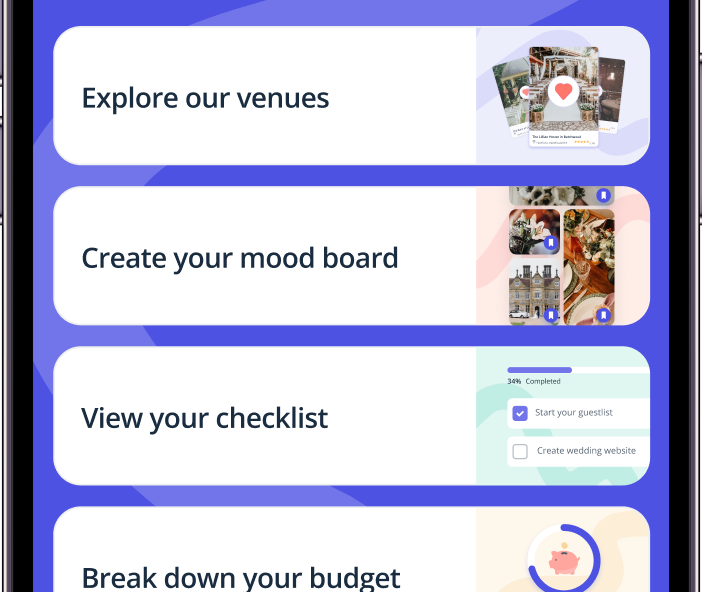
We’ve created a free wedding planning spreadsheet you can download right now and start using today. But we’ll also be honest with you: a spreadsheet has its limits. Stick with us to the end and we’ll show you why thousands of couples are ditching the tabs for free wedding planning apps.
What Should a Wedding Planning Spreadsheet Include?
A good wedding planning spreadsheet covers every moving part of your big day in one organised document. Whether you’re using Excel or Google Sheets, look for a template that includes:
Wedding budget tracker: the most essential tab. You need to log estimated costs, actual costs, deposits paid and balances outstanding for every supplier.
Guest list manager: names, addresses, dietary requirements, RSVP status, table allocation and whether a thank you card has been sent.
Supplier contact sheet: a central record of every vendor you’ve booked or are considering, including contact details, what’s been agreed and key payment dates.
Wedding to-do list / checklist: broken down by how far out you are from your wedding date, so you know what needs doing and when.
Wedding day timeline: a minute-by-minute rundown of your wedding day so everyone (you, your bridal party, your suppliers) knows exactly where they need to be.
Seating plan: especially useful once your final RSVPs are in.
A great wedding spreadsheet brings all of these into one document so you’re not flicking between six different files. Our free template does exactly that.
Download Our Free Wedding Planning Spreadsheet
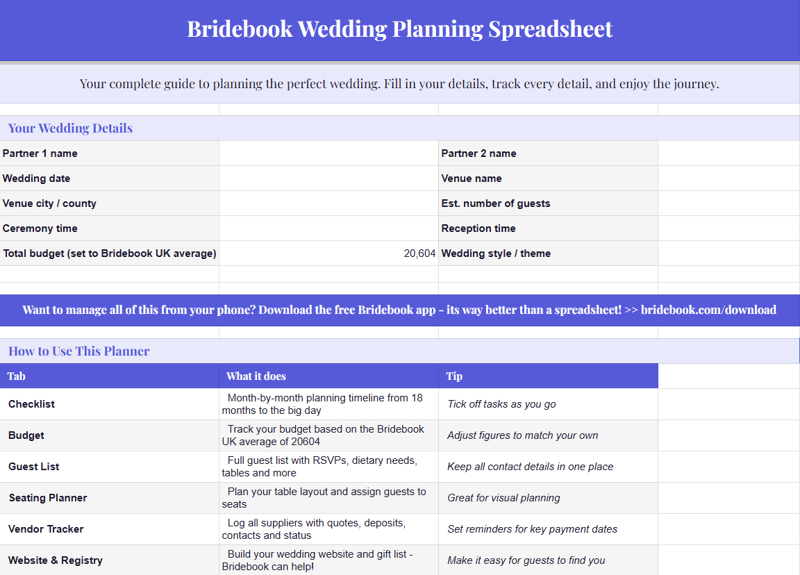
Our resident wedding planning expert, Zoe Burke, has created a free wedding planning spreadsheet here – you can make a copy of this Google Sheet and adapt it to suit your own wedding planning.
You must make a copy of the spreadsheet in order to use it.
Our free wedding planning spreadsheet includes:
- Wedding budget tracker with estimated vs actual costs and deposit tracking
- Guest list manager with RSVP, dietary and table columns
- Supplier contacts sheet
- Month-by-month wedding to-do list and checklist
- Wedding day timeline template
- Seating planner
It works in Microsoft Excel and Google Sheets – just download, make a copy, and start filling it in.
How to Use Your Wedding Planning Spreadsheet
Step 1: Start with your budget
Before anything else, open the budget tab and set your total spend. Add a contingency of around 10% for unexpected costs – trust us, something always comes up.
Once you know your wedding budget, allocate rough amounts to each category: venue, catering, photography, flowers, music, stationery, attire and honeymoon.
Step 2: Build your guest list
Your guest list drives almost every other decision – venue size, catering costs, even table linen quantities.
Use the guest list tab to capture everyone you’re considering inviting, mark them as confirmed or potential, and track RSVPs as they come in. Add dietary requirements as soon as you know them.
Step 3: Research and book suppliers
As you enquire with wedding suppliers, log them on your contacts sheet with their quoted price, availability and a note on whether they’re booked or still being considered.
Having this in one place means you’re not trawling through your inbox every time you need to chase someone.
Step 4: Work your to-do list backwards from the wedding date
Fill in your wedding date and work backwards through the checklist.
Typically, you’ll want to book your venue 12–18 months out, lock in your photographer and caterer around the same time, and leave the finer details (favours, final seating plan, hair and makeup trials) for the last few months.
Step 5: Build your wedding day timeline
About three months before your wedding, start populating your day-of timeline. Work out when you need to start getting ready, when suppliers are arriving, what time the ceremony begins and how the reception flows.
Share this with your venue coordinator and key suppliers so everyone is working from the same document.
How to Make a Wedding Planning Spreadsheet From Scratch
If you’d prefer to build your own wedding planning spreadsheet in Excel or Google Sheets, here’s how to approach it:
Set up your tabs first. Create separate tabs for: Budget, Guest List, Suppliers, To-Do List, Timeline and Seating Plan. Label them clearly and use consistent colour coding so it’s easy to navigate.
Use a budget formula. In your budget tab, create columns for: Category, Estimated Cost, Actual Cost, Deposit Paid, Balance Remaining, and Payment Due Date. Use a SUM formula to track your running total and add a cell that shows how much you’re over or under budget at a glance.
Lock your headers. In Google Sheets, go to View > Freeze > 1 Row so your column headers stay visible as you scroll down. In Excel, use View > Freeze Panes.
Use data validation for RSVP tracking. In your guest list, add a dropdown column using data validation (in both Excel and Google Sheets) with options like “Invited”, “RSVP Yes”, “RSVP No” and “Thank You Sent”. This makes it much easier to filter and see at a glance where you are.
Add conditional formatting. Highlight overdue tasks in red and completed ones in green. In your budget tab, flag rows where the actual cost has exceeded the estimate.
Share it with your partner. If you use Google Sheets, share the document with edit access so you’re both working from the same version in real time. In Excel, save it to OneDrive or SharePoint for the same effect.
Building your own gives you full control over the structure – but it does take a few hours to set up well. That’s why most couples prefer to start with a ready-made template.
Free Wedding Planning Spreadsheet UK: What to Look For
If you’re searching for a free wedding planning spreadsheet UK specifically, there are a few things to check before downloading a template:
Make sure costs are in £. Plenty of the most popular wedding spreadsheets originate from the US and will use $ by default. Change the currency formatting, or choose a UK-specific template from the start.
Check it reflects UK supplier categories. Some US templates reference suppliers that don’t have direct UK equivalents, or miss categories that are standard here – like a toastmaster, a wedding breakfast (rather than a reception dinner) or evening buffet.
Consider UK legal requirements. Getting legally married in England, Wales or Scotland each has different requirements. Your checklist should include tasks like giving notice at your local register office, understanding the rules around approved venues, and obtaining your marriage certificate.
Our Bridebook spreadsheet template is built specifically for UK couples, so you won’t need to adapt it.
The Honest Truth About Wedding Planning Spreadsheets
Here’s something most wedding planning sites won’t tell you: a spreadsheet is a great starting point, but it has real limitations.
After a few weeks of planning, most couples find themselves dealing with:
- Multiple versions of the same spreadsheet, saved in different places
- A partner who keeps forgetting to update their columns
- No way to connect supplier research to bookings to payments in one flow
- Zero reminders – you have to check the sheet manually to know what’s coming up
- No visibility into what other couples are spending, so you can’t sense-check your budget
A spreadsheet is a static document. Wedding planning is not static. The Bridebook app allows you and your partner to track everything about your wedding in one place – and it’s free!
Why the Bridebook App Is Better Than Any Spreadsheet
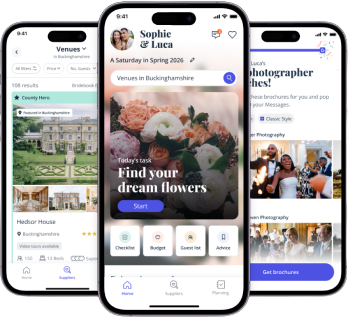
The Bridebook app was built to do everything a wedding planning spreadsheet does – and then some. It’s free to use, and it’s specifically designed for couples.
Real-time budget tracking – add costs as you go and see your running total update instantly. Bridebook shows you how your budget compares to other couples with a similar guest count and location, so you can make informed decisions rather than guessing.
Built-in supplier search and booking – instead of logging supplier details manually into a spreadsheet, you can search, compare and enquire with venues, photographers, florists and hundreds of other suppliers directly in the app. Everything is connected: when you enquire with a supplier, they’re automatically added to your planning dashboard.
Shared access for couples – both of you can access the same planning dashboard in real time, on any device. No more “which version is the latest one?” conversations.
Smart wedding checklist – your to-do list is personalised to your wedding date and updates as your planning progresses. Tasks are surfaced at the right time, so you’re never scrambling to remember what should have been done three months ago.
Guest list management – add guests, track RSVPs, manage dietary requirements and build your seating plan all in one place.
Wedding day timeline – build and share your day-of timeline with your suppliers directly from the app.
The difference between a spreadsheet and Bridebook is the difference between a blank notebook and a dedicated wedding planner who’s always one step ahead of you.
Frequently Asked Questions
What should be included in a wedding planning spreadsheet?
A comprehensive wedding planning spreadsheet should cover your budget (estimated and actual costs), guest list with RSVP tracking, supplier contacts, a to-do list or checklist broken down by timeframe, a wedding day timeline and a seating plan.
The more detail you include upfront, the more useful it becomes as your planning progresses.
What is the best format for a wedding planning spreadsheet – Excel or Google Sheets?
Both work well, but Google Sheets has a practical advantage for couples: it’s cloud-based, so you and your partner can work on it simultaneously from any device without needing to email updated versions back and forth.
If you’re more comfortable in Excel and use OneDrive, you can get a similar collaborative experience. Our free template can be adapted in both formats.
How do I make a wedding planning spreadsheet?
Start by setting up separate tabs for your budget, guest list, supplier contacts, to-do list and wedding day timeline. In the budget tab, create columns for estimated cost, actual cost, deposit paid, balance remaining and payment due date.
Use SUM formulas to track your running total, and add data validation dropdowns to your guest list for RSVP status. Freeze the top row in each tab so your headers stay visible as you scroll.
Is there a free wedding planning spreadsheet for UK weddings?
Yes – you can download Bridebook’s free wedding planning spreadsheet above. It’s built specifically for UK couples, with costs in pounds, UK-relevant supplier categories and a checklist that reflects the legal steps for getting married in England, Wales and Scotland.
Is a wedding planning app better than a spreadsheet?
For most couples, yes. A spreadsheet is free and familiar, but it requires manual updating, doesn’t send reminders, and becomes harder to manage as your planning gets more complex.
A dedicated wedding planning app like Bridebook connects your budget, guest list, supplier research and to-do list in one place – and updates in real time across both partners’ devices.
Start Planning Today
Whether you’re starting with our free wedding planning spreadsheet or jumping straight into the Bridebook app, the most important thing is to get organised early. The couples who enjoy the planning process – rather than feeling overwhelmed by it – are the ones who have a clear system from the beginning.
Download the spreadsheet, get your tabs set up, and when you’re ready to take things to the next level, Bridebook is waiting!
Related articles